Is it also possible to print a packing slip with the Barcode Scan App for Exact Online? Yes, when you use the advanced subscription you can generate a packing slip after picking a sales order.
To be able to print a packing slip you need to change a number of settings. In the settings menu you can find a printing section. Make sure that printing is enabled there:
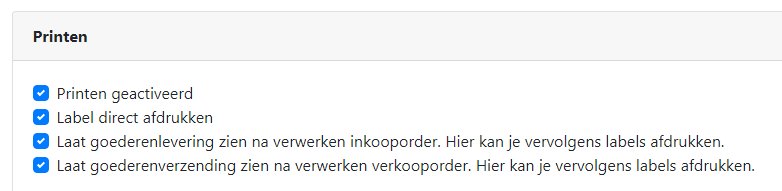
Also determine whether you want to print the packing slip PDF immediately after generating it. Then select “Print label immediately”. After generating the packing slip, the print screen is displayed immediately. Also make sure that the checkbox is enabled for “Show goods shipment after processing a sales order”. When you have picked a sales order and sent it, an additional screen will be displayed where the packing slip can be printed:

On this page a summary of the goods delivery is displayed.
Press the Print packing slip button to generate a packing slip:

Print the packing slip and include it with your goods.
See also: Printing from an Android device
Is it also possible to generate a packing slip in our own corporate style?
A standard layout for a packing slip is included with the advanced subscription. We can create custom templates so that the packing slip or other labels look exactly the way that fits your company. Contact us and ask about the possibilities.
How do I change a template of a label or packing slip?
Changing the layout of a label or packing slip can be done in the settings screen. There you can choose from a number of standard layouts:
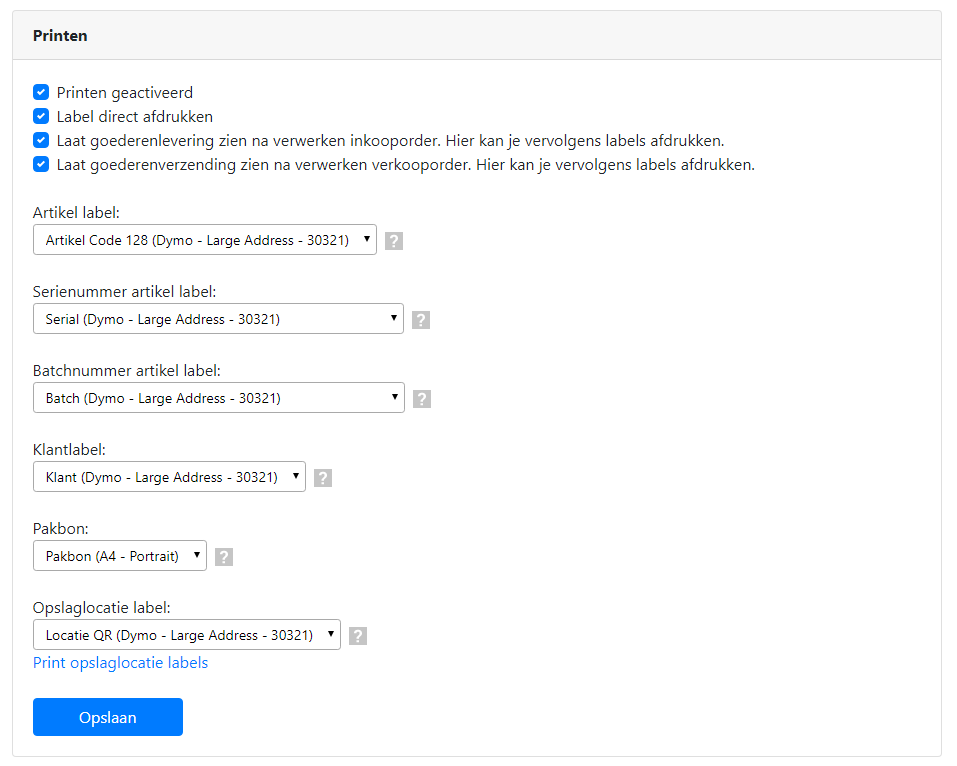
No suitable layout available? Contact us and ask about the possibilities for creating a custom layout.