Sometimes items enter or leave your warehouse without a sales or purchase order being available. With the In and Out without purchase/sales order functionality, you create a stock count to book the products onto or off your inventory.
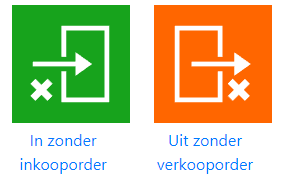
Log in and click the “In without purchase order” or “Out without sales order” button:
The following input screen will then appear:

Use the barcode field to add your items:
- Enter a product name (after 2 characters the available products will appear)
- Use the barcode scanner to scan a product barcode (barcode button or barcode scanner)

The selected items will then appear in the list:

Change the item quantity.
There are several different ways to change the number of products:
Scan barcode
Scan the product barcode to add 1 to the count.
Plus or minus button
Use the plus and minus buttons to change the number of products:

Or enter the quantity directly by pressing the number.
Then add a comment and press send.
When you see the following message, a stock count has been created and processed in Exact Online in which the number of selected items has been processed
